A daily diary for staff attendance, work and expenses, with automatic monthly salary for the company.स्टाफ की हाज़िरी, काम और खर्चों की रोज़ की डायरी, और कंपनी के लिए अपने-आप महीने की सैलरी।
How it worksकैसे काम करता हैFAQComing soon on Google Play and the Microsoft Store.जल्द Google Play और Microsoft Store पर।
Replace the paper register with a diary every staff member keeps on their own phone.कागज़ के रजिस्टर की जगह, हर स्टाफ अपने फ़ोन पर डायरी रखे।
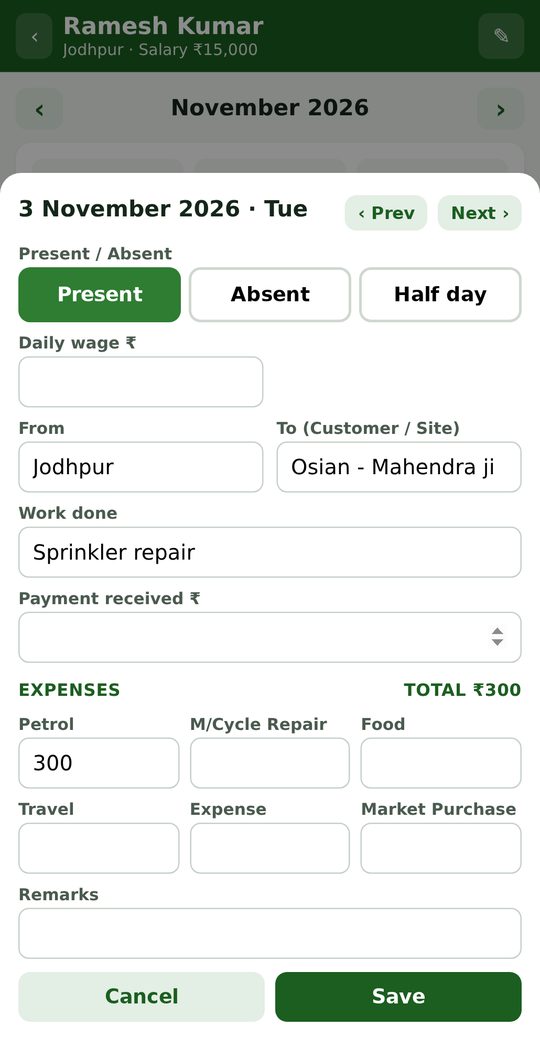
Present, half day or absent, with work site and notes.पूरा दिन, आधा दिन या छुट्टी, काम की जगह और नोट्स के साथ।
Record daily wages and expenses in rupees.रोज़ की दिहाड़ी और खर्चे रुपये में लिखें।
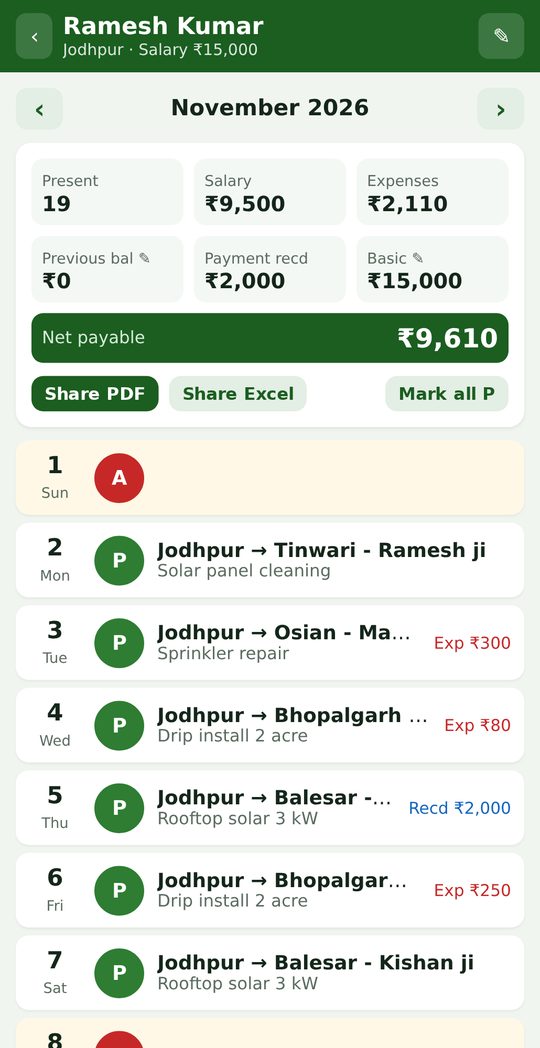
Worked out from basic pay, days present and wages.बेसिक सैलरी, हाज़िरी के दिन और दिहाड़ी से अपने-आप।
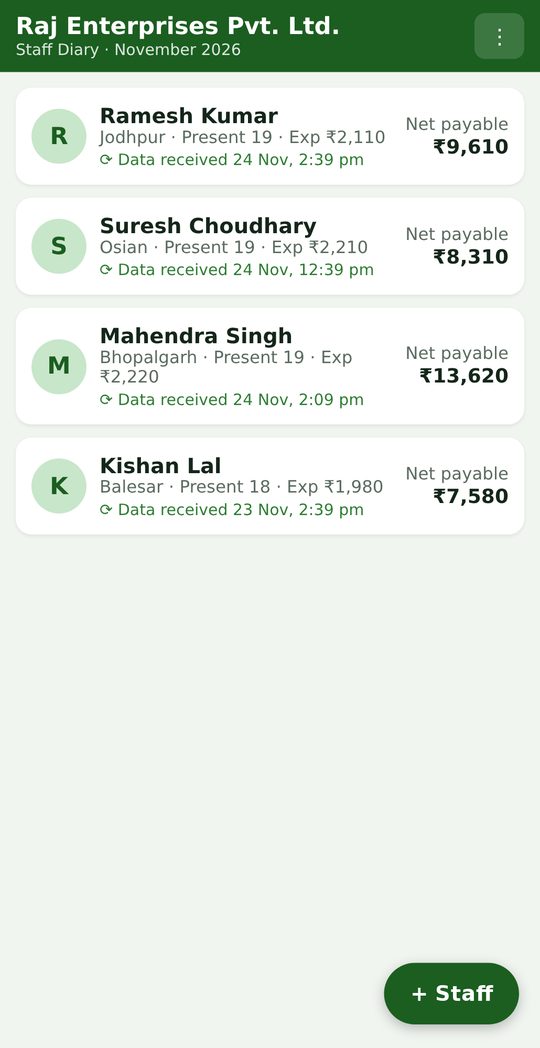
Staff share their diary; the company sees everyone in one place.स्टाफ डायरी शेयर करे; कंपनी सबको एक जगह देखे।
Your diary comes back on a new phone or PC.नए फ़ोन या कंप्यूटर पर डायरी वापस मिल जाती है।
Share each month as a PDF or Excel sheet.हर महीना PDF या Excel में शेयर करें।
Set up in a few minutes.कुछ ही मिनटों में शुरू करें।
Use your Google account, or offline mode without Gmail.अपने Google अकाउंट से, या बिना Gmail के ऑफ़लाइन मोड में।
Mark attendance, add work, wages and expenses.हाज़िरी लगाएँ, काम, दिहाड़ी और खर्चे लिखें।
Enter the company Gmail and tap Share. The company taps Accept.कंपनी की Gmail डालें और Share दबाएँ। कंपनी Accept दबाए।
Salary is worked out automatically. Export PDF or Excel.सैलरी अपने-आप बनती है। PDF या Excel निकालें।
Sample screens with example data.उदाहरण डेटा के साथ ऐप की स्क्रीन।
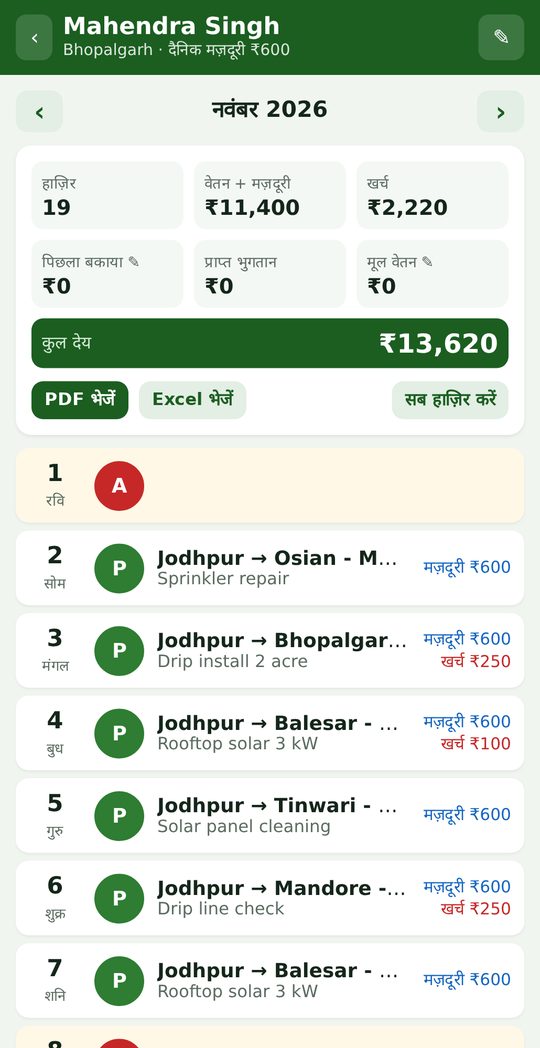
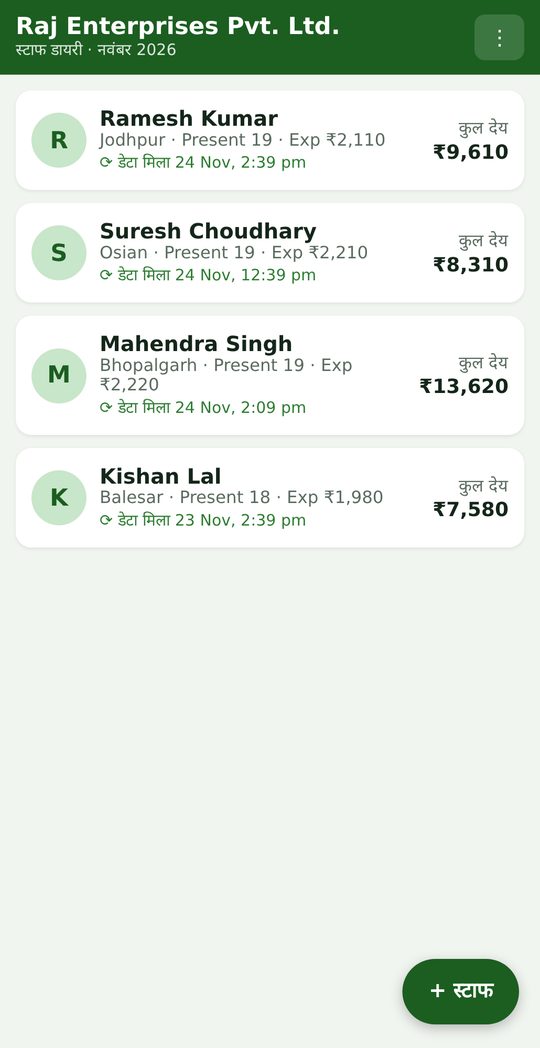
On your device and in your own Google Drive. Diary entries are never sent to our server.आपके डिवाइस और आपके अपने Google Drive में। डायरी की एंट्री हमारे सर्वर पर कभी नहीं जाती।
Yes. Offline mode works without a Google account; you can share reports as files.हाँ। ऑफ़लाइन मोड बिना Google अकाउंट के चलता है; रिपोर्ट फ़ाइल के रूप में शेयर करें।
Yes, switch between Hindi and English anytime in the app.हाँ, ऐप में कभी भी हिंदी और अंग्रेज़ी के बीच बदलें।
Android phones (Android 7 and newer) and Windows PCs.Android फ़ोन (Android 7 और नए) और Windows कंप्यूटर।
See the delete account page; we delete your details within 30 days.अकाउंट हटाने वाला पेज देखें; हम 30 दिनों में आपकी जानकारी हटा देते हैं।
Privacy policyगोपनीयता नीतिDelete accountअकाउंट हटाएँTermsशर्तें
Want early access? Email us and we'll add you to testing.पहले आज़माना चाहते हैं? हमें ईमेल करें, हम टेस्टिंग में जोड़ देंगे।
Request early accessअर्ली एक्सेस माँगें